


If you have played a game that stutters, freezes in the middle of a level, or runs out of battery in 20 minutes you know how frustrating that experience gets. Now imagine you are a developer. Your game works perfectly on a high-end phone. Does not work at all on a cheaper Android phone.
Table Of Content
- 1. Cut Down Polygon Count Without Sacrificing Visual Quality
- 2. Compress Textures the Right Way
- 3. Manage Memory Like Your Game Depends on It (Because It Does)
- 4. Reduce Draw Calls Wherever Possible
- 5. Optimize Your Physics and Scripting Logic
- 6. Profile Before You Optimize
- 7. Build Scalable Graphics Settings Into the Game
- Final Thoughts
That’s a problem you can’t afford to ignore, and it’s exactly why working with a reliable mobile game app development company that understands low-end hardware from the ground up matters more than most developers realize.
Research counts that over 60% of Android users worldwide still rely on low-end or mid-range devices. If your game does not work well on those devices you are leaving out people who might want to play your game.
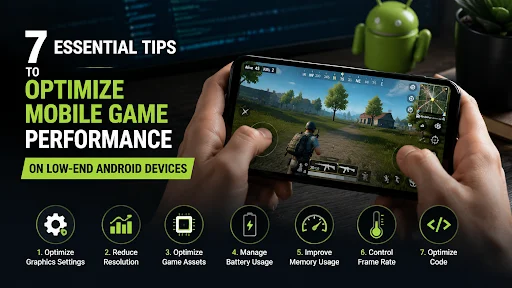
Here are seven tips to help your mobile game run smoothly on hardware:
1. Cut Down Polygon Count Without Sacrificing Visual Quality
High-poly 3D models look incredible on paper, but they destroy frame rates on low-RAM devices. The fix isn’t making your game ugly. It’s being smart about where detail actually lives.
Use Level of Detail (LOD) techniques. Show high-poly models up close, and swap them for simplified versions when objects move farther away. Players rarely notice the difference, but your frame rate absolutely does. Start with your most frequently rendered objects and work from there.
2. Compress Textures the Right Way
Uncompressed textures eat memory fast. Instead, use ETC2 or ASTC compression formats, both of which are well-supported on modern Android hardware. ASTC is particularly flexible because it supports both RGB and RGBA at multiple compression ratios.
Also, keep texture atlases in mind. Combining multiple small textures into a single large atlas reduces draw calls, which directly improves rendering performance on weaker GPUs. This one change alone can noticeably lift frame rates on budget devices.
3. Manage Memory Like Your Game Depends on It (Because It Does)
Low-end Android phones often ship with 2GB of RAM or less. One memory leak can crash your entire game session. A few habits that make a real difference:
- Unload assets you no longer need — don’t hold on to level assets after the player moves on
- Use object pooling instead of constantly creating and destroying game objects
- Avoid loading everything at startup — stream assets progressively as players need them
These aren’t complex changes, but they add up quickly on constrained hardware.
4. Reduce Draw Calls Wherever Possible
Every time the CPU tells the GPU to draw something, that’s a draw call. Low-end devices handle far fewer draw calls per second than high-end ones. To bring this number down:
- Combine static meshes through static batching
- Group similar objects with dynamic batching
- Use GPU instancing for repeated elements like trees, coins, or enemies
Getting draw calls under control takes some upfront planning, but the frame rate gains on budget hardware make it worth every minute.
5. Optimize Your Physics and Scripting Logic
Physics calculations are expensive. If your game doesn’t need pixel-perfect physics, simplify your collision shapes. Use box or capsule colliders instead of mesh colliders because they process far faster on lower-spec hardware.
On the scripting side, avoid running heavy logic every single frame. Ask yourself whether a script really needs to check something 60 times per second. In most cases, no. Running checks every few frames or using event-driven logic instead of Update loops keeps your CPU from sweating constantly.
6. Profile Before You Optimize
This one trips up a lot of developers. They assume they know what’s causing the slowdown and start optimizing the wrong thing entirely. Always profile first.
Tools like Android Profiler in Android Studio, or Unity’s built-in Profiler, show you exactly where your frame time is going. Is it the CPU? The GPU? Memory allocation? The answer shapes everything about how you approach the fix. Guessing wastes time that profiling would save in minutes.
If you’re still in the process of finding a team, checking out a curated resource on top mobile game development companies gives you a solid starting point for identifying studios. They have a real track record shipping performant titles across a wide range of Android devices.
7. Build Scalable Graphics Settings Into the Game
Not every device deserves the same visual experience, and that’s perfectly fine. Build a scalable graphics system into your game from the start. Detect device specs at launch and automatically adjust things like:
- Shadow quality and draw distance
- Particle system density
- Post-processing effects like bloom or motion blur
- Screen resolution scaling
Giving players a manual graphics toggle also builds goodwill. Someone on a three-year-old budget phone appreciates the ability to turn shadows off and actually enjoy the game without lag.
Final Thoughts
Making games work well on Android phones is not about making your game simpler. It is about being careful with every part of the game you create. You need to know where the game is using up all its power, where it is using much memory and where small changes can make a big difference. This is what makes people want to keep playing your game of deleting it after a few minutes.
The market for games, on phones is getting bigger and bigger. A lot of this growth is coming from countries where people mostly use phones. Game makers who make sure their games run well on these phones of just trying to fix problems later can reach more people and get better reviews.
First you need to see where your game is slowing down. Then you need to fix the problems first. You should also make sure your game can handle players and bigger levels from the start. People who play your game on phones will notice the difference and they will appreciate it.